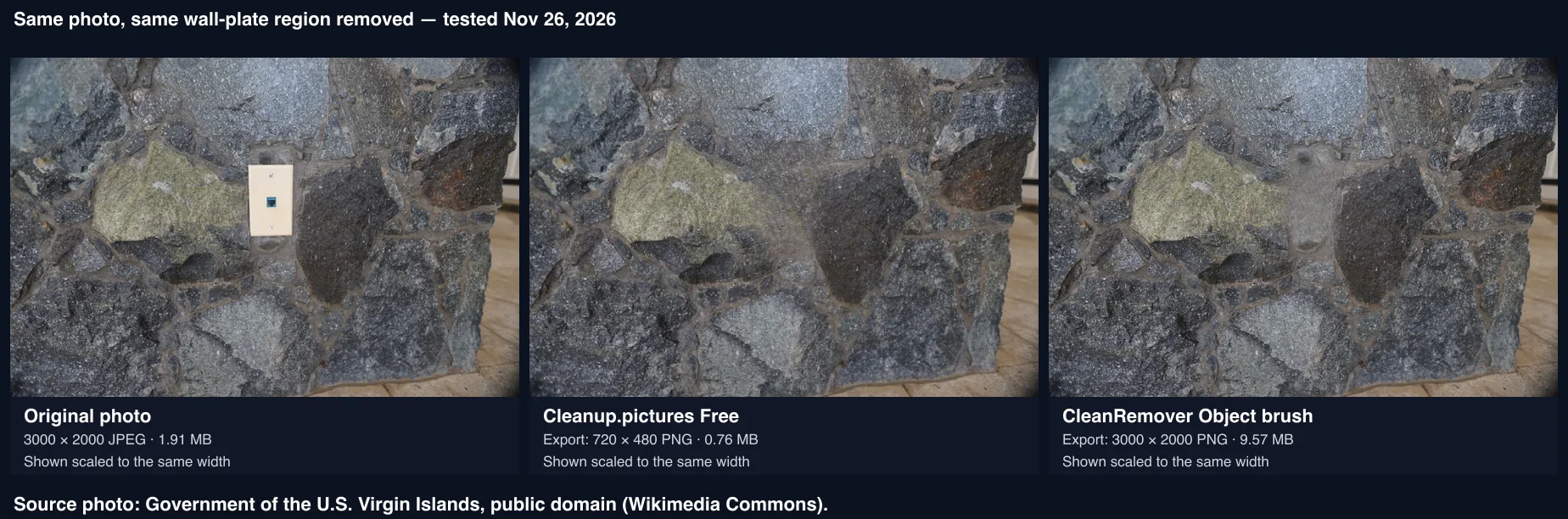
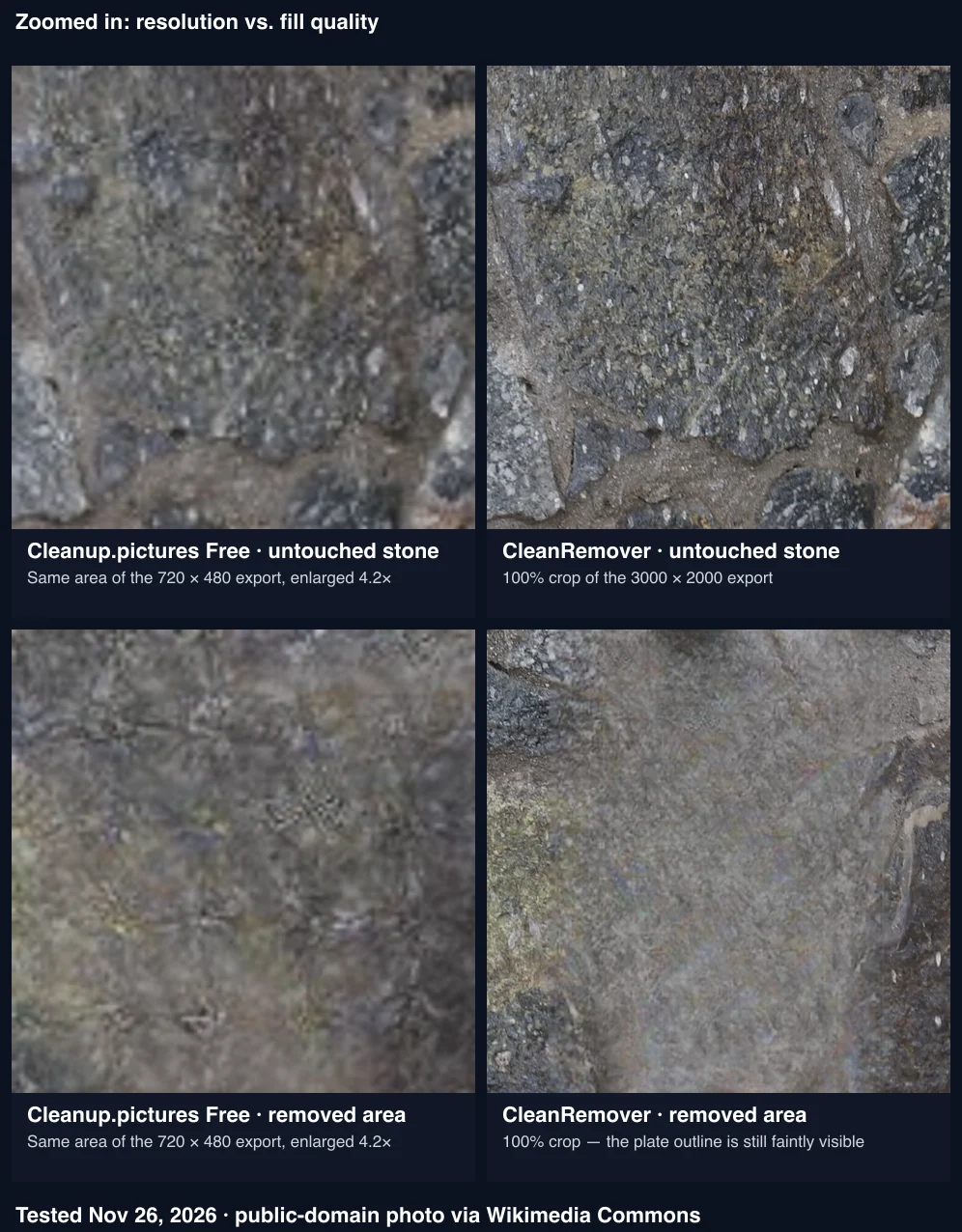
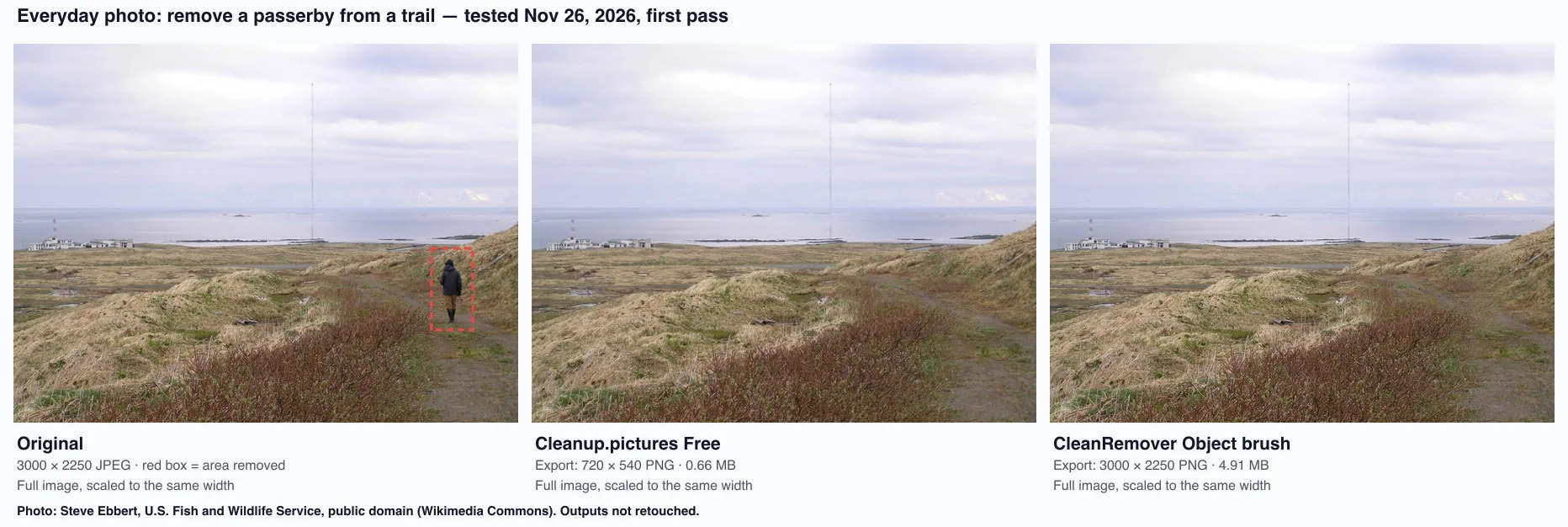
A stone wall is a hard case, so on November 26, 2026 we also ran two common jobs through both tools: removing a person walking on a trail from a travel photo, and removing a cocoa shaker and a milk jug from behind a latte in a product shot. Each photo was resized to 3000 px wide and used as the same input in both tools. We removed the same area in each: a rectangle with CleanRemover's Object brush, and the same box painted with Cleanup.pictures' smallest brush. Each tool got one pass per photo, so these are first-pass results, and nothing was retouched afterwards.
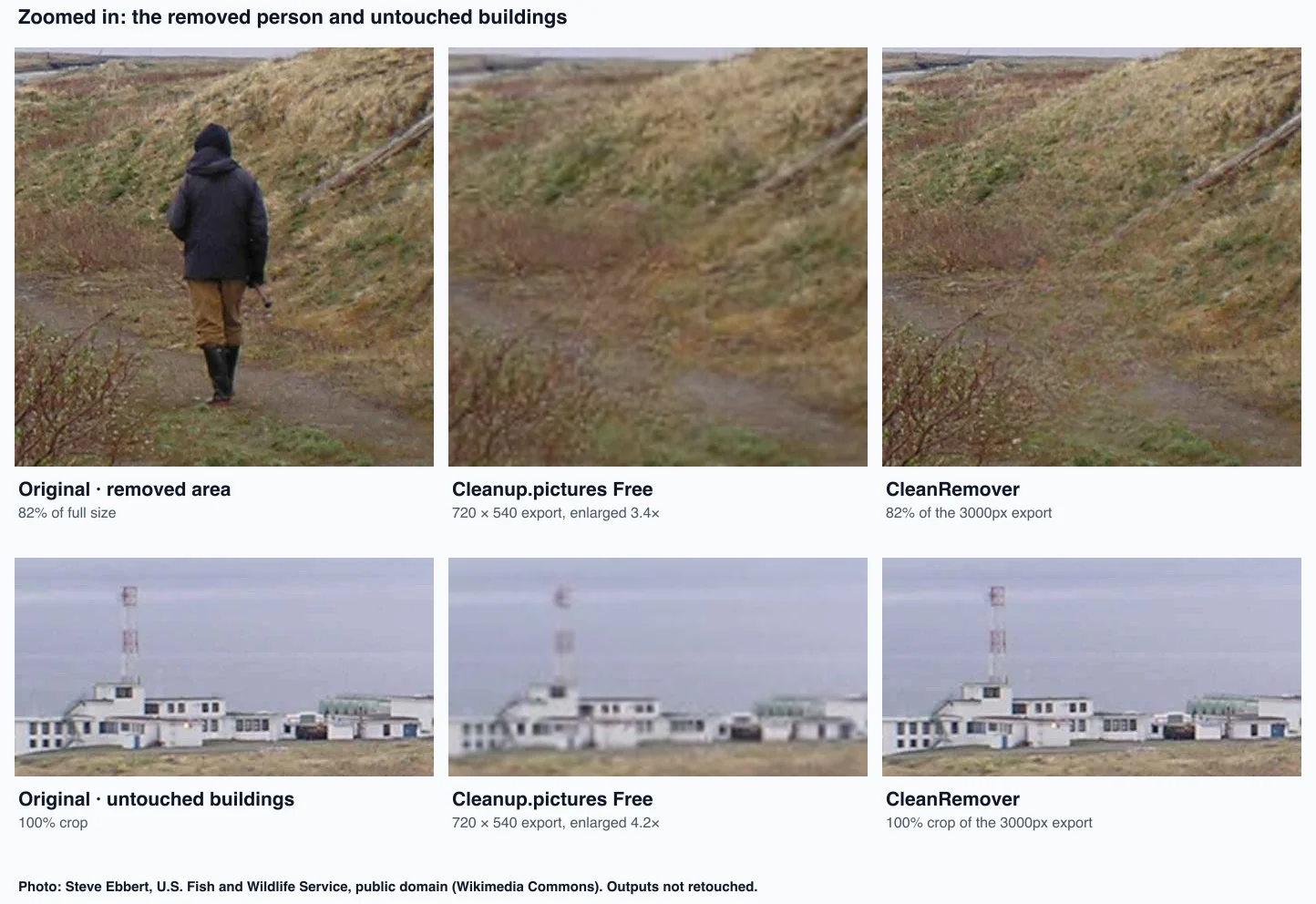
A passerby on a trail. Both tools removed the person without leaving a silhouette and carried the trail and the grass slope through the gap. At its own 720 × 540 size, Cleanup.pictures' fill looks just as natural. The difference shows when you zoom in: its export is soft everywhere, and the buildings on the far shore lose their window lines. CleanRemover's 3000 × 2250 export keeps those buildings as sharp as the original. Up close, its filled patch is slightly smoother than the grass around it.
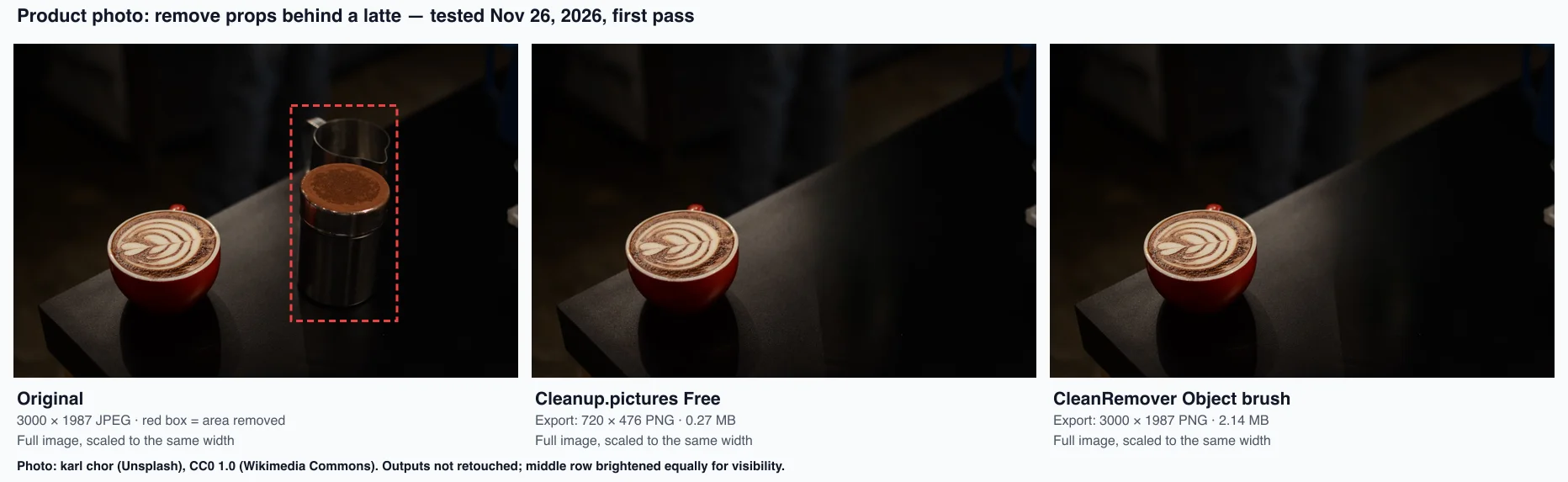
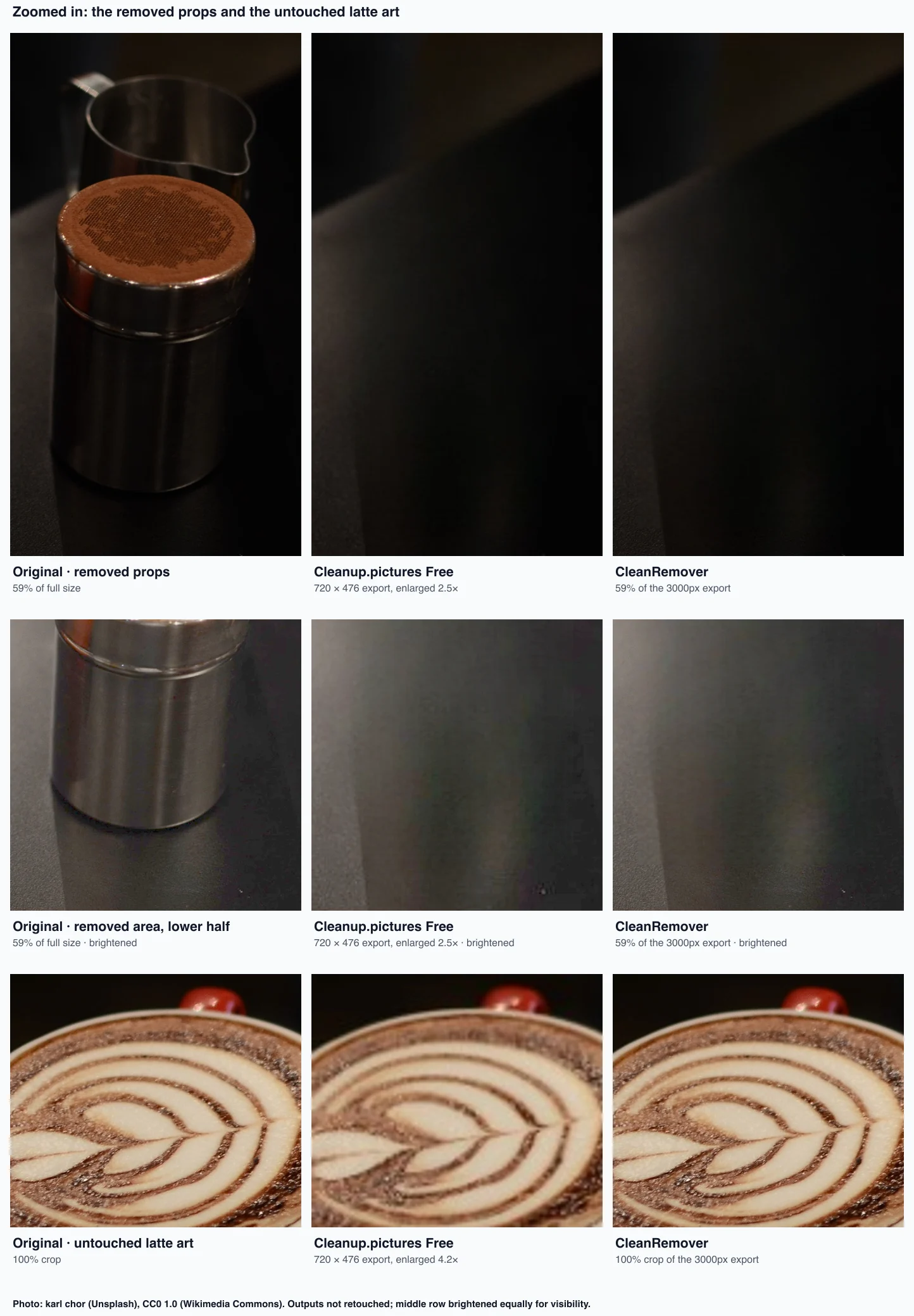
Props behind a latte. Both tools removed the shaker and the jug and rebuilt the table edge as a straight line. The latte art, which neither tool touched, stays crisp in CleanRemover's 3000 × 1987 export and turns soft in Cleanup.pictures' 720 × 476 export. Neither result is spotless. The shaker's reflection reached a little below our box, and both tools left a faint darker column on the table where it stood. It is hard to see at normal brightness. Brightened, it shows in both, and CleanRemover's version also has a slightly harder left edge where our box ended. On a shot like this, draw the box past the reflection, or run a second pass, which is another 2 credits in CleanRemover. We did not run a second pass on either photo.